
How can I add a player using their Player ID?
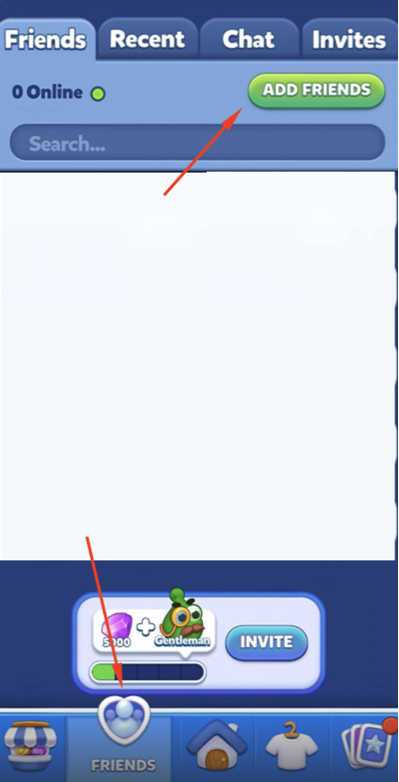
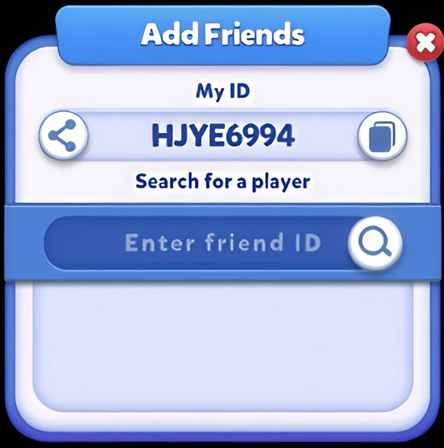
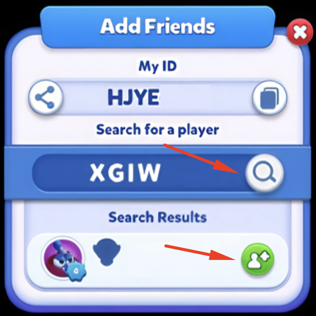
- To add a friend using their Player ID, tap the Friends icon in the lobby, then select “Add Friends” to search for the player by their ID.
How can I add a player I matched with during a game?
- While playing, simply tap on the player’s profile. You’ll then see an option to add that player as a friend.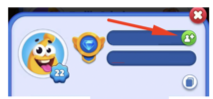
How can I add a player I previously played with?
- From the Lobby, tap on the Friends icon and go to the “Recent” tab. You’ll see a list of players you’ve recently matched with. From there, you can open their profile or directly tap the add option to send a friend request.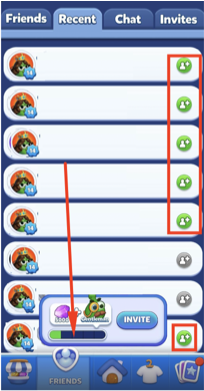
How can I add my Facebook friends in-game?
- To add your Facebook friends, link your game account to Facebook. Once connected, all your Facebook friends who play the game will automatically appear under your in-game friend list.
How can I add my friend if I’m playing as a guest user?
- As a guest user, you can create a 2-player friendly match and share the game code with your friend. Once your friend joins the match, you’ll get the option to add them as a friend.