
To remove a game buddy, follow these steps:
Launch the game.
Tap the Social icon and go to the Game Buddy tab.
Select the player profile of the buddy you want to remove.
Tap the red icon to remove the selected game buddy.
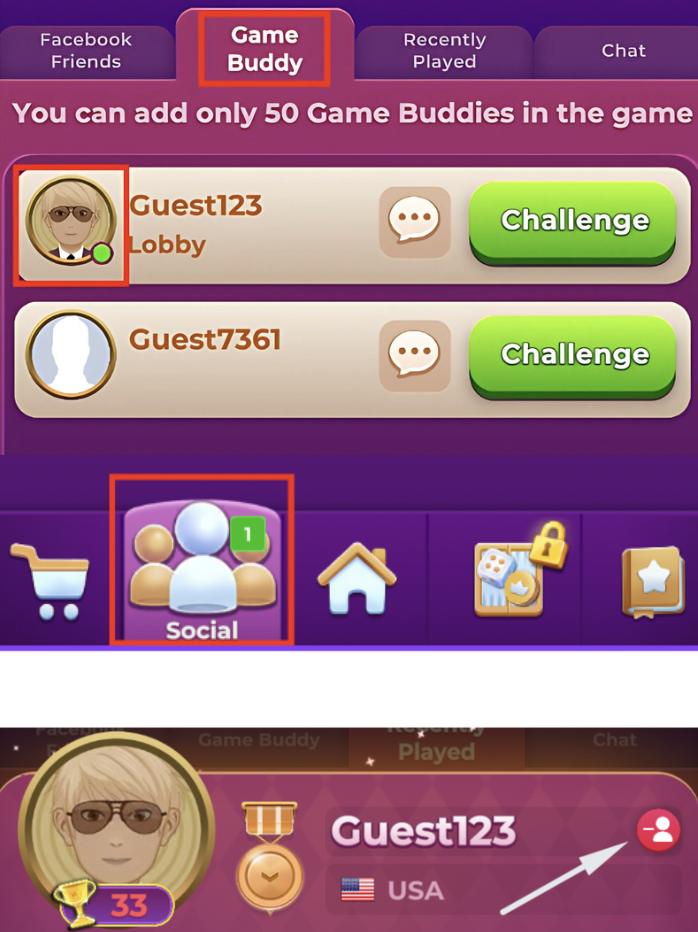
To remove a game buddy, follow these steps:
Launch the game.
Tap the Social icon and go to the Game Buddy tab.
Select the player profile of the buddy you want to remove.
Tap the red icon to remove the selected game buddy.
Need more help?